
Documents
Alpha / v0.19.1DOCX Editor Online
WordCraft · Free online document editor
Open a DOCX in your browser, edit text and page layout, then save an editable .docx copy. Free with no account. Check complex layouts and page breaks in Word before sharing.
Desktop browser recommended. The editor downloads on first use; loading time depends on your connection and device.
In your toolkit
- 01
Document editing
- 02
Text formatting
- 03
Page structure
- Works with
- DOCX / Text
- Web release
- v0.19.1 · Alpha
- Open in your browser
- Free to use. No account needed.
Before you start
Alpha. Document compatibility is evolving. Review formatting when importing or sharing complex files.
Save or export before closing the editor.
Release notes & downloadsLicense & attribution
The editors use MIT / Apache-2.0 licensing; bundled assets retain their own licenses. See the source, release and license files below.
What can I edit with this tool?
WordCraft — Free online document editor. Open a DOCX or write a document, format text and pages, then save a copy. Free with no account. Complex layouts and page breaks may differ from Word.
A document can look correct while still having different pagination or missing embedded objects when another editor opens it. WordCraft is alpha, so the right test is your own representative file, not only a sample. Begin with a copy, inspect its page flow and styles, and verify the exported format before sharing it with someone who uses another word processor.
Which tasks does it support?
Writing with familiar controls
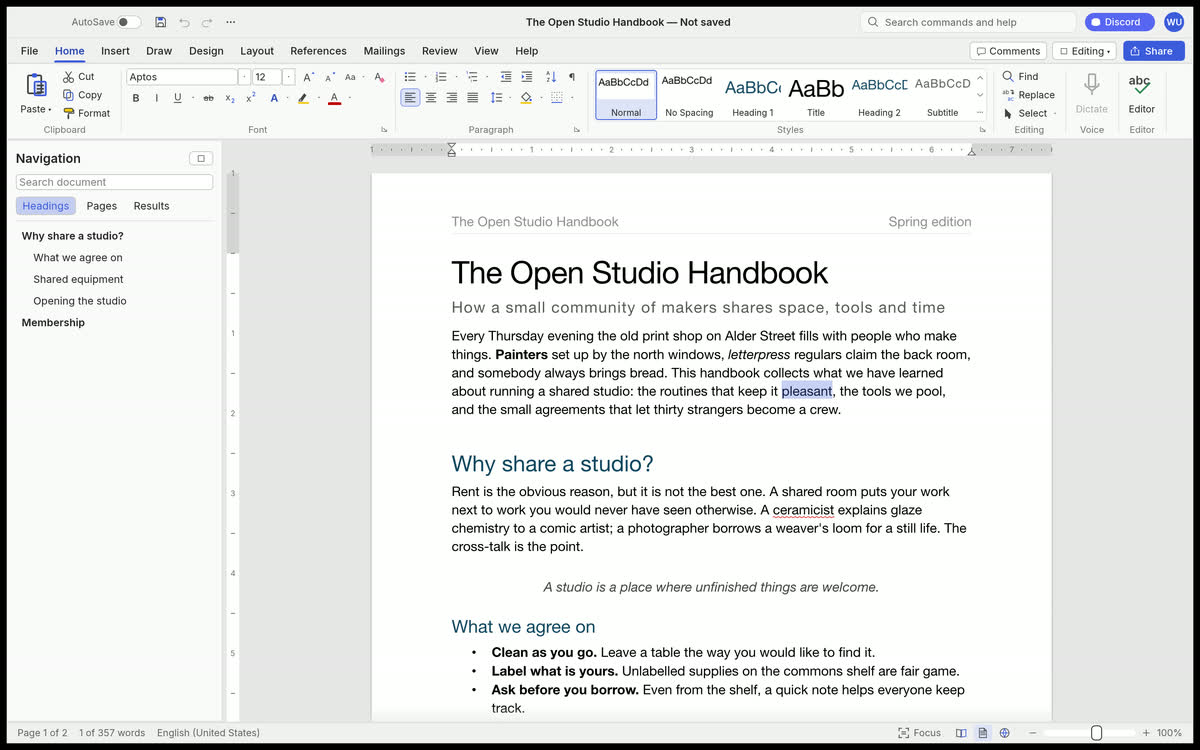
The README documents typing, IME input, smart quotes, autocorrection, selections, undo, find and replace, and the shortcuts many Word users know. Ribbon actions include basic formatting and a live Styles gallery. This supports both drafting fresh copy and revising a structured document.
Page-level formatting
Paragraph controls include indents, spacing, tabs, borders, widow and orphan handling, and keeps. Page setup includes margins, orientation, columns, breaks, headers, footers, page numbers, and watermarks. These are useful when the page itself is part of the deliverable rather than an incidental screen view.
Tables, images, and references
The upstream feature table includes tables with merged cells and styles, pictures and shapes with wrapping, footnotes, citations, cross-references, tables of contents, and other long-document structures. Check each object after import because complex arrangements are harder to preserve than plain paragraphs.
Several import and export formats
The README lists DOCX opening and saving, other text and document formats, older DOC opening, and PDF export with selectable text, links, and bookmarks. These paths have different fidelity goals. A PDF is useful for distribution, while an editable DOCX deserves a second pass in the recipient's application.
How do I edit and save a file?
- Launch WordCraft in the browser and start with a short new document or a copy of a DOCX. Look through its ribbon and Styles gallery before editing a complex file.
- Write a heading and several paragraphs. Apply paragraph styles rather than making each line look like a heading only through manual font changes, then add a list or table if the structure needs one.
- Adjust margins, page breaks, headers, or footers as needed. Review pagination at the end of the document as well as at the beginning, particularly after adding images or a table.
- Save an editable copy and export a PDF if that is the delivery format. Reopen both in suitable viewers and check page count, text selection, links, table layout, and any references you rely on.
Questions about using this editor
Can I use Get Artcraft for free without signing up?
Yes. All 12 editors are currently free to use, with no account, subscription or installation required. AI generation and paid third-party services are not included.
Where are my files saved?
Save or export your files to your own device. The editors process files in your browser, and this site does not provide cloud file storage. Some editors keep local recovery data; that is not a substitute for an exported copy.
Can I use the editors on a phone?
A desktop browser is recommended. Use a browser with WebAssembly and WebGPU or WebGL2 support, plus a keyboard and mouse. You can try opening an editor on a phone, but its controls and graphics may not work on your device.
Can I open an existing Word file?
The README documents DOCX read and write and opening older DOC files. It does not promise exact round trips for every feature. Charts, SmartArt, advanced pagination, and unusual templates should be inspected particularly carefully before replacing an original.
Will a PDF contain selectable text?
The upstream README says its PDF export includes real selectable text, links, and bookmarks. Check a sample export yourself, including any embedded font or special script used in your document, before sending it as a final file.
Can I rely on Word-identical page breaks?
No. The project's own roadmap lists pagination closer to Word as work still needed before beta. The document may remain usable while pages break differently. Compare page flow in both tools when exact print appearance matters.
What are the current limits?
WordCraft is alpha. The upstream roadmap calls for more real-world DOCX testing, better preservation of charts and SmartArt, closer pagination, a stability pass, and native printing. Browser and desktop capabilities may also differ. Keep a source copy, check complex tables and references, and open the exported document in its destination application before relying on it for a professional handoff.


Desktop browser recommended. The editor downloads on first use; loading time depends on your connection and device.
Open WordCraft